A workspace for each team or client
Only the modules it needs switched on, and one client per workspace, so a client's scope and numbers never mix.
Product Administration and control
Workspaces keep teams and clients apart, roles decide who can do what, AI stays off until you allow it, and every sign-in and change is on record, all run by your own administrators.
What you get
Only the modules it needs switched on, and one client per workspace, so a client's scope and numbers never mix.
Reader, Contributor, Planner and Workspace admin, plus six extra permissions such as Tester, Test planner, Confidential registers and Finance.
Clients, sponsors and stakeholders follow progress without a licence, always read-only.
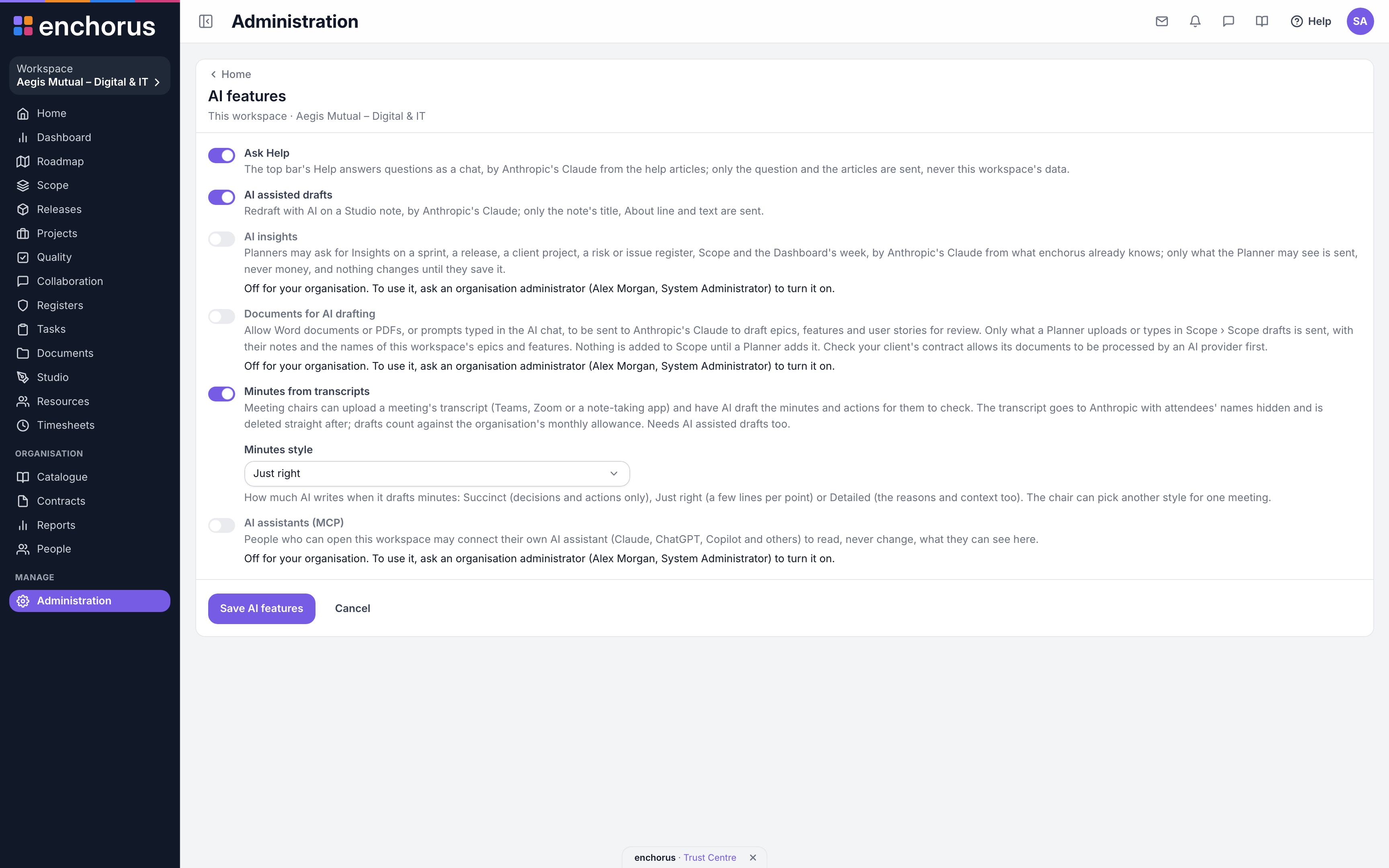
Every AI feature off until an administrator switches it on, then allowed or kept out workspace by workspace, so a confidential workspace stays free of AI.
Your own address and separate database, two-step sign-in optional or required, regular backups, and email through your own provider if you want.
A set-up wizard for each new workspace, and Migrate to enchorus from Jira, Asana, monday.com, Microsoft Project or Excel.
How it holds together
Traced end to end
Every sign-in and change is logged, and each workspace's admins have an activity journal by person, by activity and by date, so anyone can see who changed what, and when.
One record
Users, groups, clients and holidays are managed once, and each person's role in every workspace is set in one place.
The process, built in
Readers never change anything, nobody approves their own timesheet, money only for people given the Finance permission and recorded time never deleted: the controls are in the product and checked on the server.
Four per workspace: Reader, Contributor, Planner and Workspace admin, plus six extra permissions for testing, planning tests, confidential registers, deleting backlog items, moderating conversations and seeing money (Finance).
No. Readers are free and always read-only, so clients, sponsors and stakeholders can see progress at no cost.
Yes. Modules are switched on or off per workspace, and switching one off hides it without deleting any data.
Yes. A workspace can send its emails through your own email provider, such as Microsoft 365, Google Workspace or another SMTP service, so notifications arrive from your organisation's address.
Yes. Your administrators set how long an idle session lasts, from 10 minutes to 8 hours, and changing or resetting a password signs that person out everywhere else.
Start a free trial in a minute, or book a demo and we will show you enchorus with your own projects.
14-day free trial · 3 users included · no card needed
Guides on planning, delivery and running a project office, what's new in enchorus, and offers for subscribers. Once in a while, never noise.