Capacity by person and by day
Who works on each sprint, in which role, for how many hours each working day, with holidays and away days taken out automatically.
Product Resourcing
Resource plans, away days and timesheets come from the work itself, across every team and client, so availability, hours and forecasts are always current, without spreadsheets.
What you get
Who works on each sprint, in which role, for how many hours each working day, with holidays and away days taken out automatically.
Planned effort compared with what is allocated, so a sprint that cannot add up shows before it starts, not when it slips.
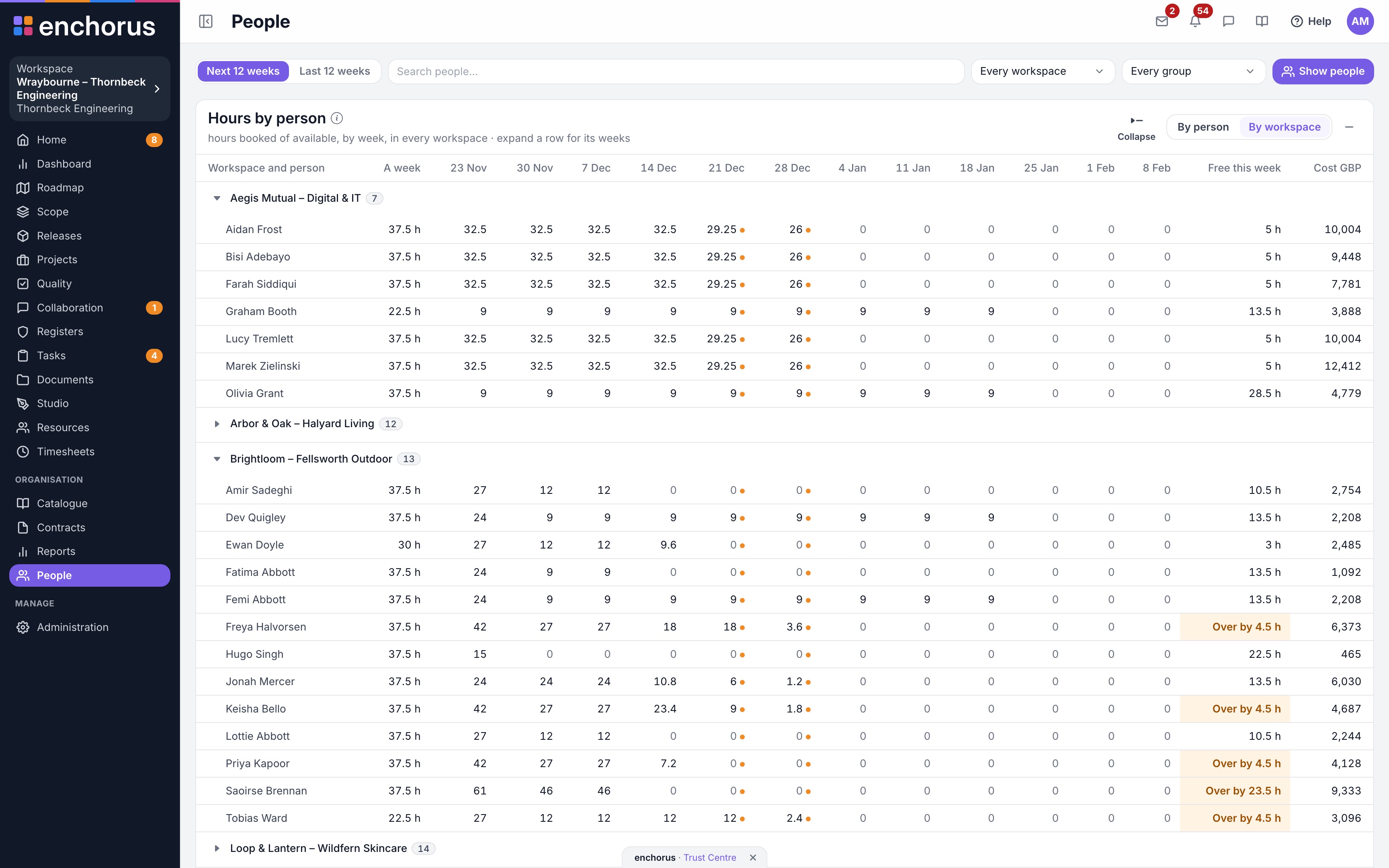
One view of everyone's booked and recorded hours in every workspace, so resource managers see who is free and who is over before a plan is agreed.
Each person sees their own hours across every workspace, and Home can bring their tasks, milestones and approvals together from every team they work in.
Weekly, for sprints and client projects, sent to the right approver and never to yourself, with approved weeks locked and recorded time never deleted.
Actual hours plus each person's estimate to complete give the forecast at completion, set against the allocation, without a spreadsheet.
How it holds together
Traced end to end
Hours are booked to a sprint's or a project's tasks, against each person's place in that plan, so every task shows its allocated, consumed and remaining hours and every report can say where the time went.
One record
Holidays, half days, away days and working days are kept once and counted in every plan, timesheet and figure of available hours, across every workspace.
The process, built in
Actuals plus the estimate to complete against the allocation, one approver for each week, nobody approving their own time and approved weeks locked: the controls finance and project offices ask for.
Each week is sent to one approver, never to the person who recorded it, organisation administrators included. Submitted and approved weeks are locked, and recorded time is never deleted.
Yes, for the people you choose. Rates and costs are shown only to people given the Finance permission, in any role, while everyone else sees hours only.
Yes. Whole holidays are not working days, half days start at half the standard day, and saving a holiday updates the open sprints automatically.
Yes. Organisation administrators and resource managers see everyone's hours in every workspace in one view. A resource manager sees the pool without opening any workspace or any money.
Yes. On their weekly timesheet people pick the sprint's tasks they worked on, record hours against each and say how much is left, so every task shows its allocated, consumed and remaining hours.
Start a free trial in a minute, or book a demo and we will show you enchorus with your own projects.
14-day free trial · 3 users included · no card needed
Guides on planning, delivery and running a project office, what's new in enchorus, and offers for subscribers. Once in a while, never noise.